
Personalised Gift Editor with Photos and Text
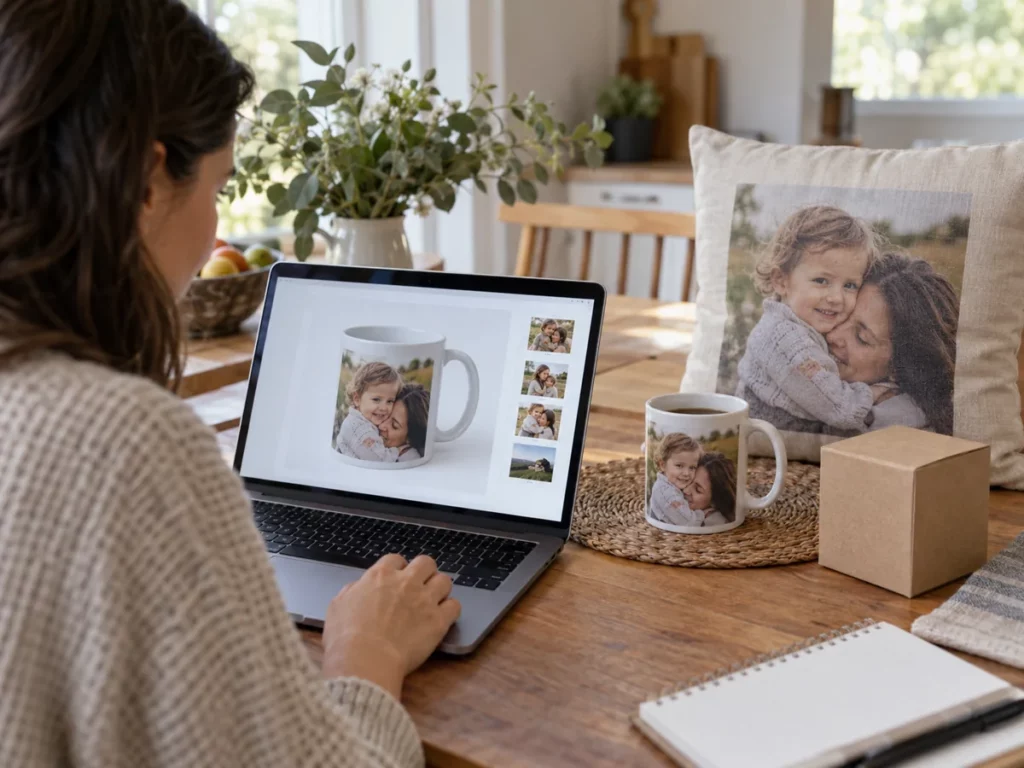
When customers add a photo, a name or a dedication, an everyday product becomes their own. The personalised gift editor brings that creation process to your store and your customers.
An experience for your business
You can present products with greater emotional value and guide customers towards a design ready to order. Each item displays only the options prepared for it.
Space for image
An experience for your business
Who it is for
Family gift campaigns and special occasions.
The journey
Customers choose a gift from the catalogue. They add photos, text or elements provided in its template.
Operations
Confirm the personalisation to add it to the order.
From selection to order
You can present products with greater emotional value and guide customers towards a design ready to order. Each item displays only the options prepared for it.
Demo in Spanish.
Space for video
From selection to order
How it works

A four-step journey tailored to your business's product range.
Choose
Customers choose a gift from the catalogue.
Add memories
Add photos, text or elements provided in the template.
Review
Review the composition and available variants.
Confirm
Confirm the personalisation to add it to the order.
Fewer questions when choosing a gift
A clear product page explains what can be personalised, how it will look and which options customers need to choose. Configuring templates around each product helps provide that confidence.
Space for image
Fewer questions when choosing a gift
Choose
Customers choose a gift from the catalogue.
Add memories
Add photos, text or elements provided in the template.
Review
Review the composition and available variants.
Confirm
Confirm the personalisation to add it to the order.
Value for your business
You can present products with greater emotional value and guide customers towards a design ready to order. Each item displays only the options prepared for it.
A tailored offering
A clear product page explains what can be personalised, how it will look and which options customers need to choose. Configuring templates around each product helps provide that confidence.
Where it fits best
Common applications based on the catalogue and how the business works.

Space for image
Where it fits best
Campaigns
Family gift campaigns and special occasions.
Beyond prints
Stores that want to expand their offering beyond photo prints.
Photo and message
Catalogues with products that combine a photo and a personal message.
Would you like to shape your gift catalogue?
Share the gifts and personalisation options in your catalogue.
Request a demo ↗Discover Imaxel on video
Everything you need to know
Respuestas concretas sobre esta funcionalidad de Imaxel.
Which products does the personalised gift editor support?
The offering depends on the catalogue: each gift can have its own options for adding photos, text or other elements.
Can personalisation vary by product?
Yes. Templates and editable areas are prepared according to each gift’s characteristics.
How is the final order prepared?
The confirmed design and product options accompany the order through the planned production workflow.