
Personalised Photo Calendar Editor
With the calendar editor, customers turn their images into a useful, personal product. They choose a model from your catalogue, add their photos and review the calendar before ordering.

An experience for your business
Calendars turn a collection of images into a gift for everyday use. A guided journey helps customers choose a model and captures the personalisation needed to prepare the order.

Space for image
An experience for your business
Who it is for
Family gifts and end-of-year campaigns.
The journey
Customers choose from the models and sizes you offer, then add photos to the pages or options defined in the template.
Operations
The design is passed to the order and configured production workflow.
From selection to order
Calendars turn a collection of images into a gift for everyday use. A guided journey helps customers choose a model and captures the personalisation needed to prepare the order.
Space for video
From selection to order
How it works
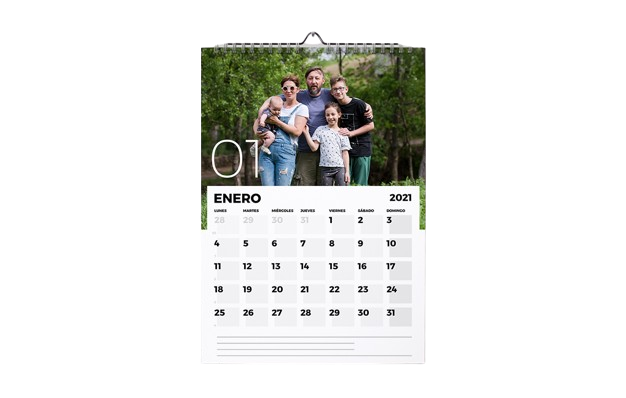
A four-step journey tailored to your business's product range.
Choose
Customers choose from the models and sizes you offer.
Add photos
Add photos to the pages or options defined in the template.
Review
Review the composition and confirm the product.
Produce
The design is passed to the order and configured production workflow.
Prepare for the season in advance
Define models, prices and deadlines before the campaign. This helps you present a clear offering and manage orders with realistic delivery expectations.
Space for image
Prepare for the season in advance
Choose
Customers choose from the models and sizes you offer.
Add photos
Add photos to the pages or options defined in the template.
Review
Review the composition and confirm the product.
Produce
The design is passed to the order and configured production workflow.
Value for your business
Calendars turn a collection of images into a gift for everyday use. A guided journey helps customers choose a model and captures the personalisation needed to prepare the order.
A tailored offering
Define models, prices and deadlines before the campaign. This helps you present a clear offering and manage orders with realistic delivery expectations.
Where it fits best
Common applications based on the catalogue and how the business works.
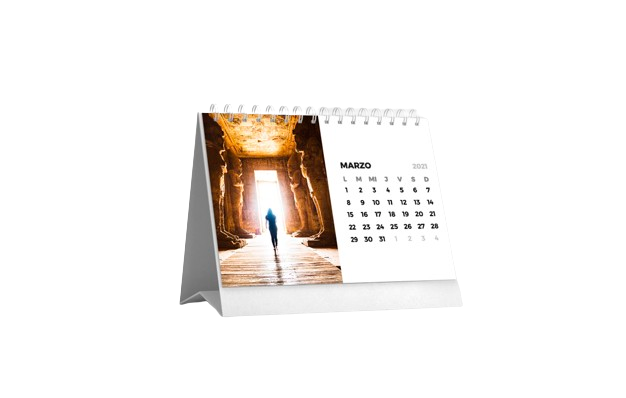
Space for image
Where it fits best
Family gifts
Family gifts and end-of-year campaigns.
Mobile phone photos
Stores that want to turn mobile phone photos into gift products.
Multiple formats
Businesses with several calendar formats and different finishes.
Want to create your calendar range?
Tell us about the calendar models, finishes and campaign you want to offer.
Request a demo ↗Discover Imaxel on video
Everything you need to know
Respuestas concretas sobre esta funcionalidad de Imaxel.
How is a calendar personalised?
Customers select an available calendar and add their photos to the pages or options defined in the template.
Can I offer different calendar models?
Models, sizes and finishes are defined in the catalogue made available by the business.
How is the calendar sent to production?
When the order is confirmed, the design is prepared for the configured production workflow.