
Photo Orders via QR Code on Mobile
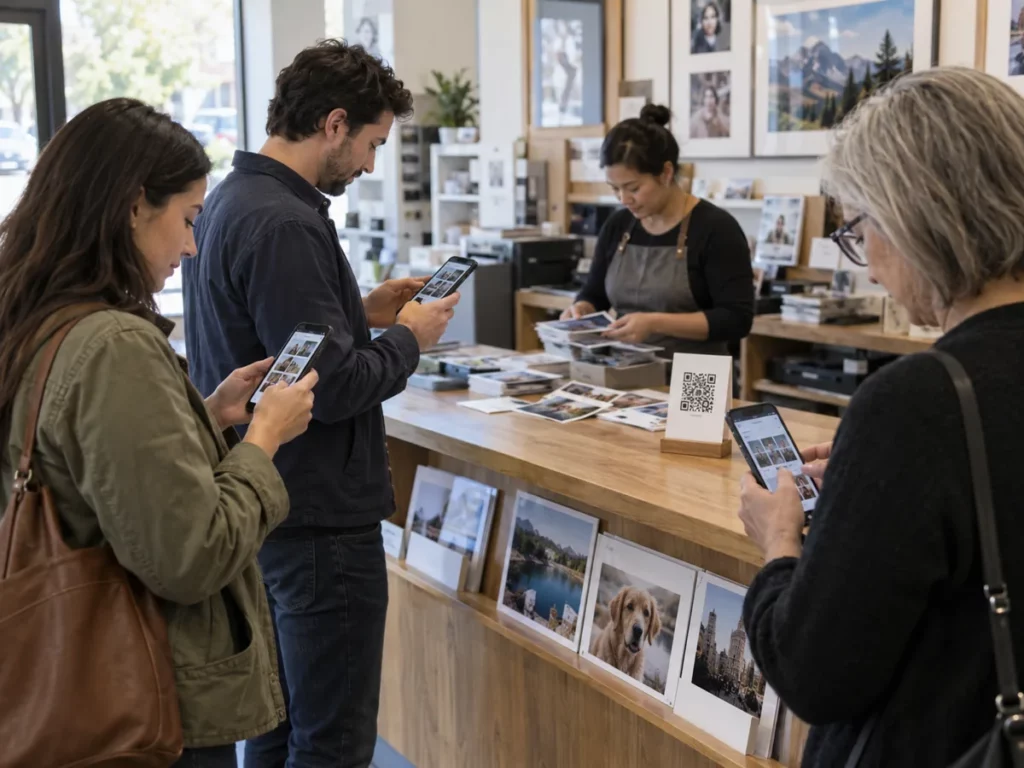
Customers arrive at your store with photos on their phones. Give them a simple way to start: scan the QR code, discover the available products and prepare an order on their own phone.

Mobile orders in your store
The QR code opens a shopping channel in the store without occupying the counter. Customers can take time to choose their images and review the result; your team receives a clearer order to continue with service or production.
Space for image
Mobile orders in your store
Who it is for
Photo stores that receive images mainly from mobile phones.
The journey
Place the QR code where customers can see it: on the counter, in the window or on store materials. Customers access the catalogue configured for that store.
Operations
Payment methods, collection and production destinations are specified for each project.
From QR code to order
The QR code opens a shopping channel in the store without occupying the counter. Customers can take time to choose their images and review the result; your team receives a clearer order to continue with service or production.
Space for video
From QR code to order
How it works

A four-step journey from access to confirmation.
Display the QR code
Place the QR code where customers can see it: on the counter, in the window or on store materials.
Open the catalogue
Customers access the catalogue configured for that store.
Prepare the product
Select a product and add photos when the product requires them.
Confirm the order
Review and confirm the order through the defined shopping journey.
More possibilities in your store
Use it to make ordering easier at busy times, display photo products that do not fit on the shelves or let customers continue their selection on their phones. The catalogue, prices and instructions need to match the store's actual operations.
Space for image
More possibilities in your store
In-store access
Place the QR code where customers can see it: on the counter, in the window or on store materials.
Available catalogue
Customers access the catalogue configured for that store.
Photos from a phone
Select a product and add photos when the product requires them.
Confirmed order
Review and confirm the order through the defined shopping journey.
More efficient service
The QR code opens a shopping channel in the store without occupying the counter. Customers can take time to choose their images and review the result; your team receives a clearer order to continue with service or production.
A tailored offering
Use it to make ordering easier at busy times, display photo products that do not fit on the shelves or let customers continue their selection on their phones. The catalogue, prices and instructions need to match the store's actual operations.
Where it fits best
An option for stores that receive images and orders from mobile phones.

Space for image
Where it fits best
Photo Stores
Photo stores that receive images mainly from mobile phones.
Counters
Counters with busy periods and recurring orders.
Stores
Stores that want to show more options without expanding their physical space.
Would you like to see it with your catalogue?
Tell us which products you want to offer through the QR code and how you manage orders in your store.
Request a demo ↗Discover Imaxel on video
Everything you need to know
Respuestas concretas sobre esta funcionalidad de Imaxel.
Do customers need to install an app to order via QR code?
No. The code opens the experience in the phone’s browser, according to the service configuration.
What can customers do after scanning the code?
They can choose from the available products, personalise them where applicable and complete their order on the phone.
How is the order managed once submitted?
The order enters the production and delivery workflow configured for the business.